The screenshot tool
made for Mac.
Region, window, full screen or timed: one shortcut is all it takes. Annotate and beautify right after, and turn the apps you use into a single share card.
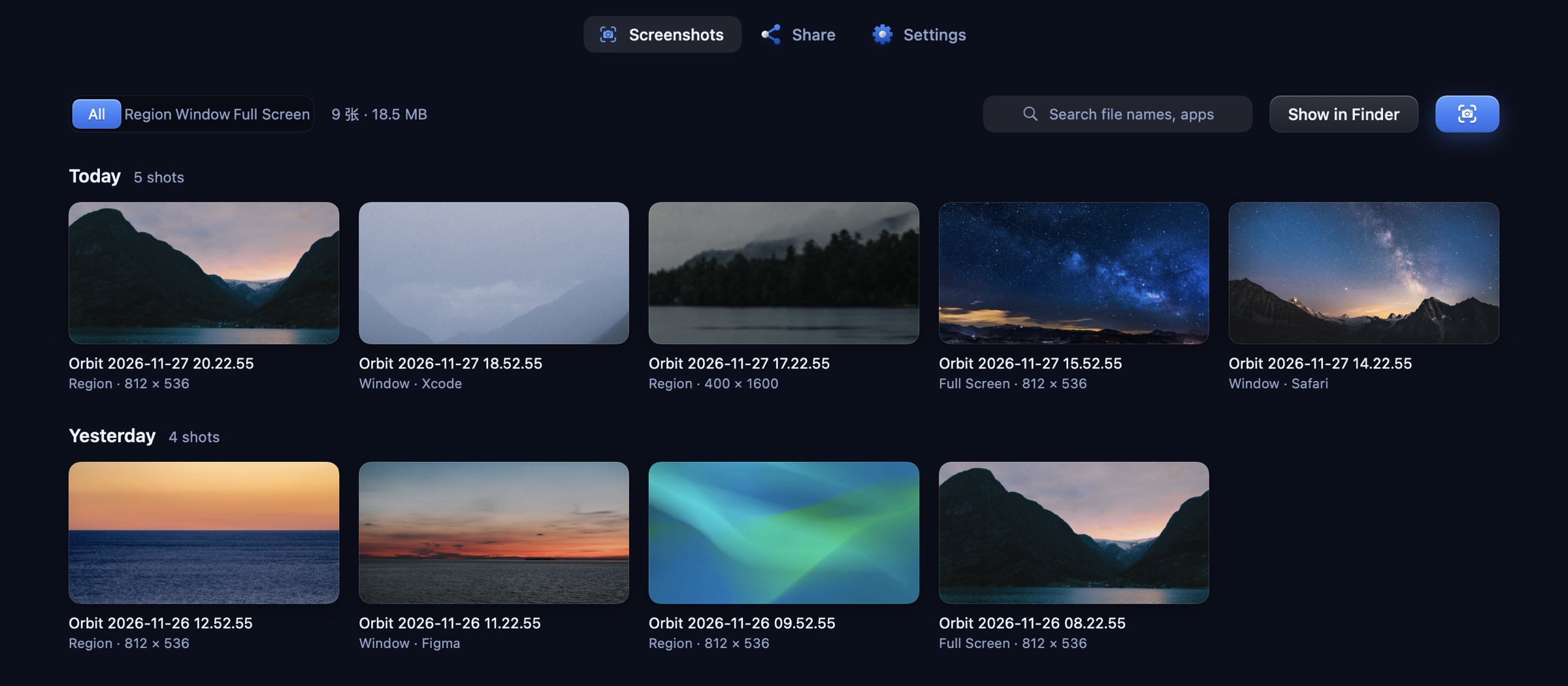
One shortcut,
capture anything.
Every screenshot is saved to ~/Pictures/Orbit, named starting with Orbit. Browse and search them all in the main window.
Region
Drag out an area, hold ⇧ to lock the ratio; Space switches between region and window.
Window
Hover to highlight, click to grab the whole window with its corners and shadow intact.
Full Screen
With several displays the pointer becomes a camera: click the screen you want.
Delayed
Capture after a countdown, so menus and tooltips that vanish in a blink are fair game.
Edit right away,
looks good right away.
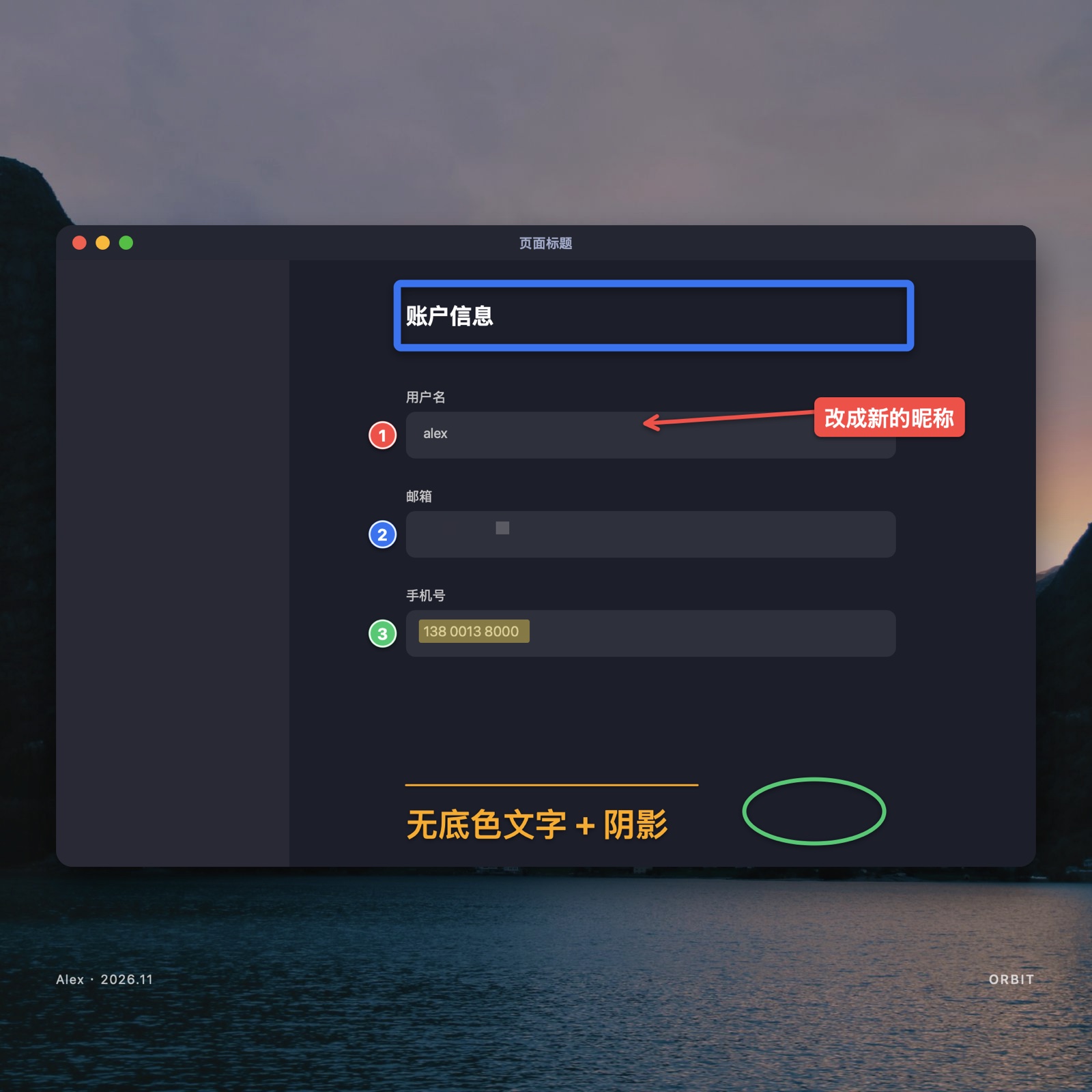
Arrows, boxes, text, numbered markers, a highlighter, and blur and pixelate that really destroy the pixels. One click adds a frame, padding and a background, and the export is ready to post.
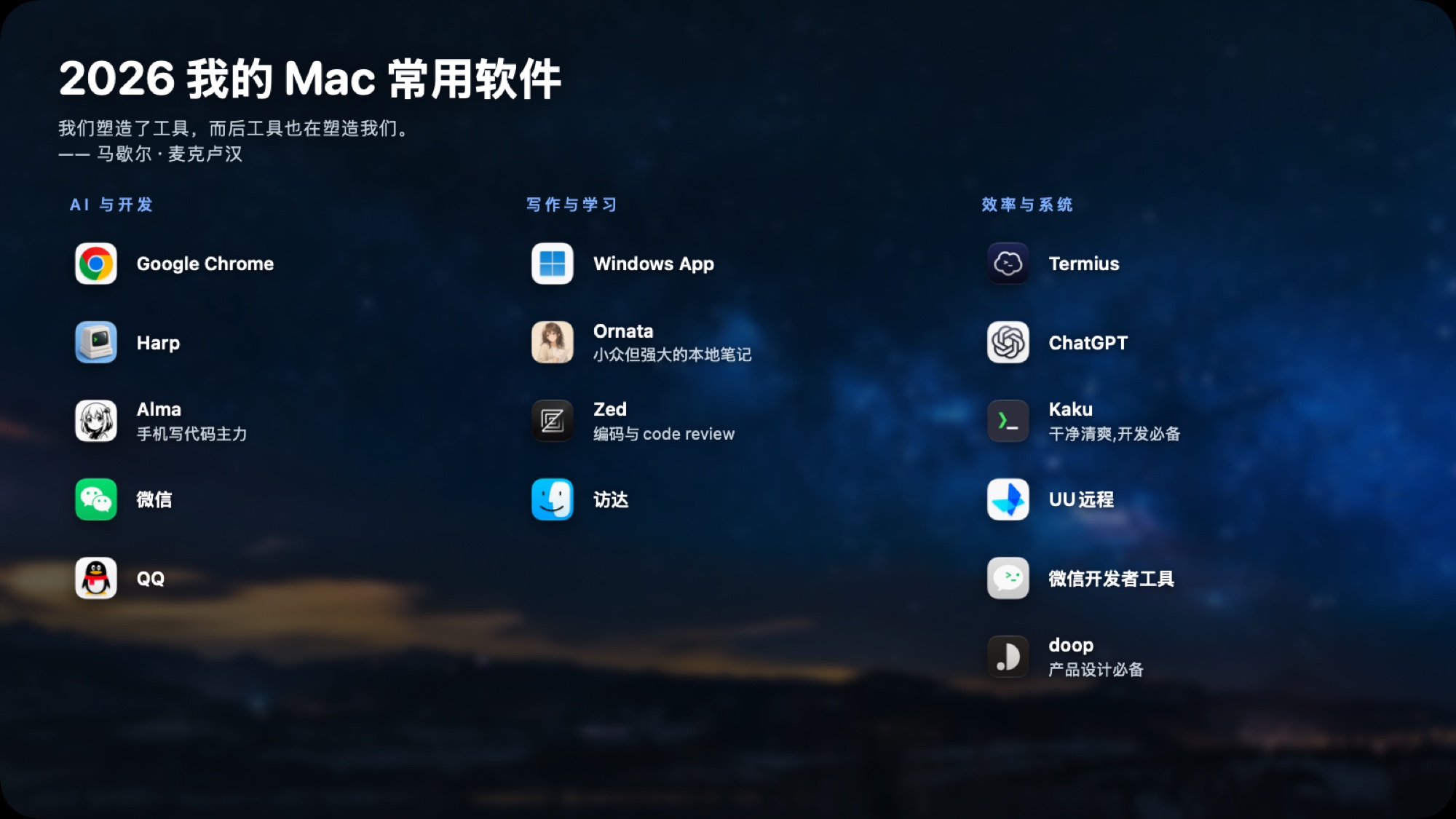
Turn your Mac
into one picture.
Pick the apps you have installed, group them and add a one-line note, or build a yearly ranking from Screen Time. Many layouts and ratios, one-click export.
Your stuff stays
on your Mac.
No network
Apart from checking for updates, Orbit connects to nothing. Screenshots and records live on your disk, and update checks send no system information.
Open source
MIT licensed, all the code is on GitHub. Want to know what it does? Just read it.
Notarized
Signed with a Developer ID and notarized by Apple. Open the DMG and drag, no system warnings to get around.
Take one now.
Free, open source, about 12 MB. For Apple silicon and Intel.